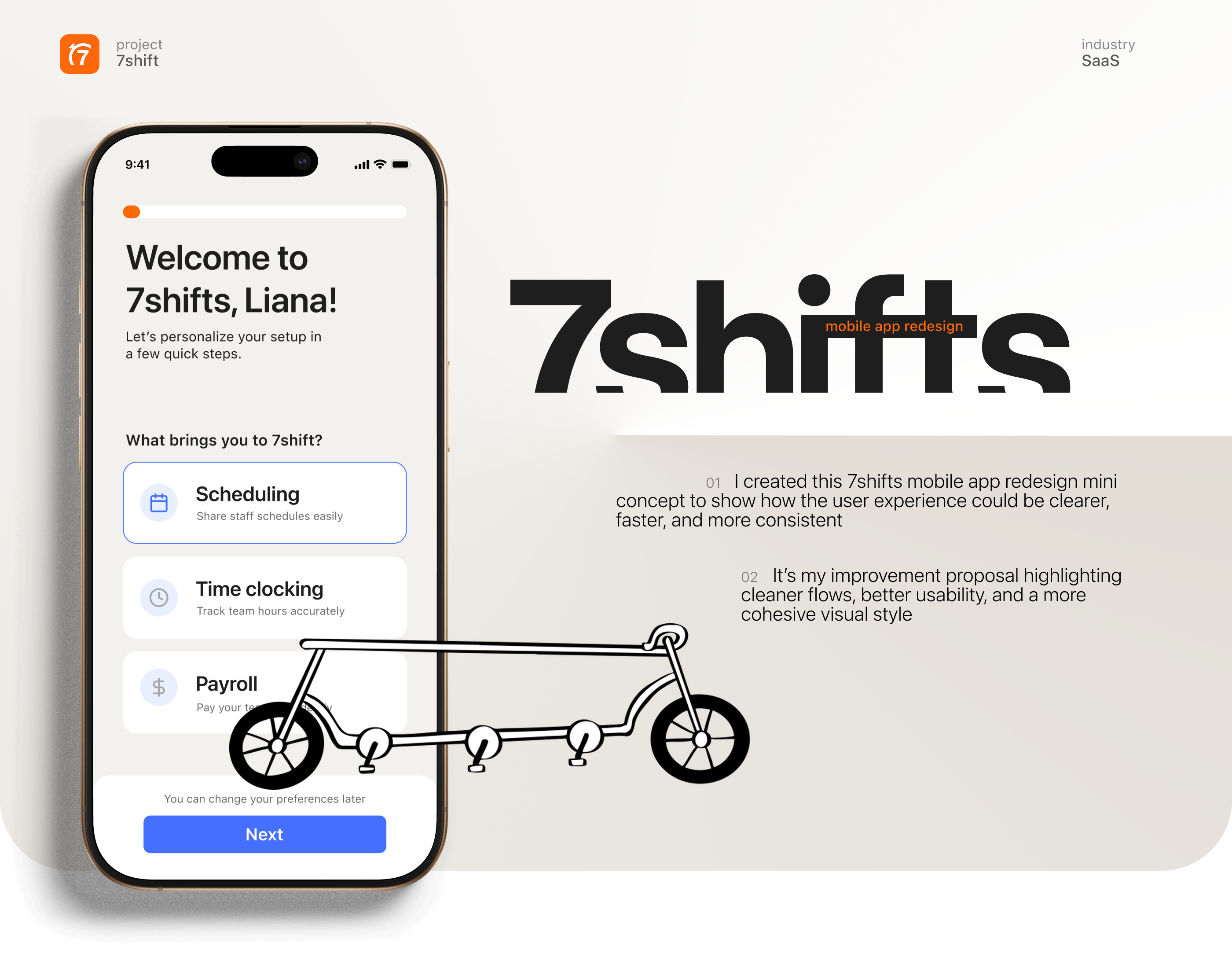
UI/UX design | redesign | mini case study | mobile app
7shift: redesign of the mobile app for smoother team management
expertise
UX/UI Design
methods
Design Thinking,
Human-Centered Design
tools
Figma
year
2025
What is the project about?
Challenge:
To identify key usability challenges within the 7shifts mobile and propose design improvements that enhance clarity, efficiency, and overall user satisfaction.
Solution:
I aimed to bring the app closer to the visual language of the website, as it’s important to maintain a brand identity across all products. I simplified the layouts, added visual “air” to the screens so they didn’t confusing to users, and used the brand colors to create a more consistent and cohesive style.
Personas & User Stories
Before working on the redesign, I analyzed the audience to make sure the updated 7shifts experience fits real user needs and daily behaviors. I reviewed app store feedback, explored common workflows of restaurant teams and mapped out key pain points. Based on this research, I created several user personas that shaped the design decisions.
Liana, 29
Manager
As a manager who regularly uses 7shifts, I often find it difficult to quickly identify which employees are available for open shifts.
Jessy, 47
Server
As an employee who frequently use an app, I want a clearer visual hierarchy so I can make changes faster and with fewer clicks.
As an employee who frequently uses the app, I want to maintain the privacy of my personal life outside of work hours.
As a new employee, I find it very difficult to navigate the app interface.
As an employee who frequently uses the app, I want to maintain the privacy of my personal life outside of work hours.
As a new employee, I find it very difficult to navigate the app interface.

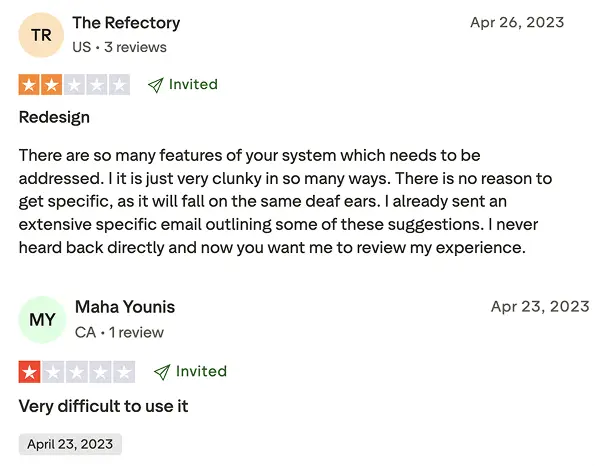
Social Feedback
By analyzing real user feedback from social platforms and review sites, I identified consistent usability challenges and opportunities to enhance the overall user experience.
01. Clunky navigation
Users find the interface cluttered and hard to navigate, making everyday tasks slow and frustrating.
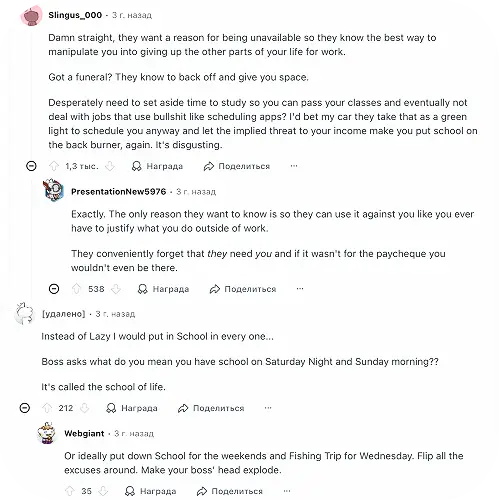
02. Privacy & personal boundaries
Users feel their privacy is not fully respected when managing schedules and availability.
What if???
Hypothesis
what if we simplify the interface, improve visual hierarchy, and make users feel more in control of their personal information -customers will navigate easier and trust the system more?
What we have now?


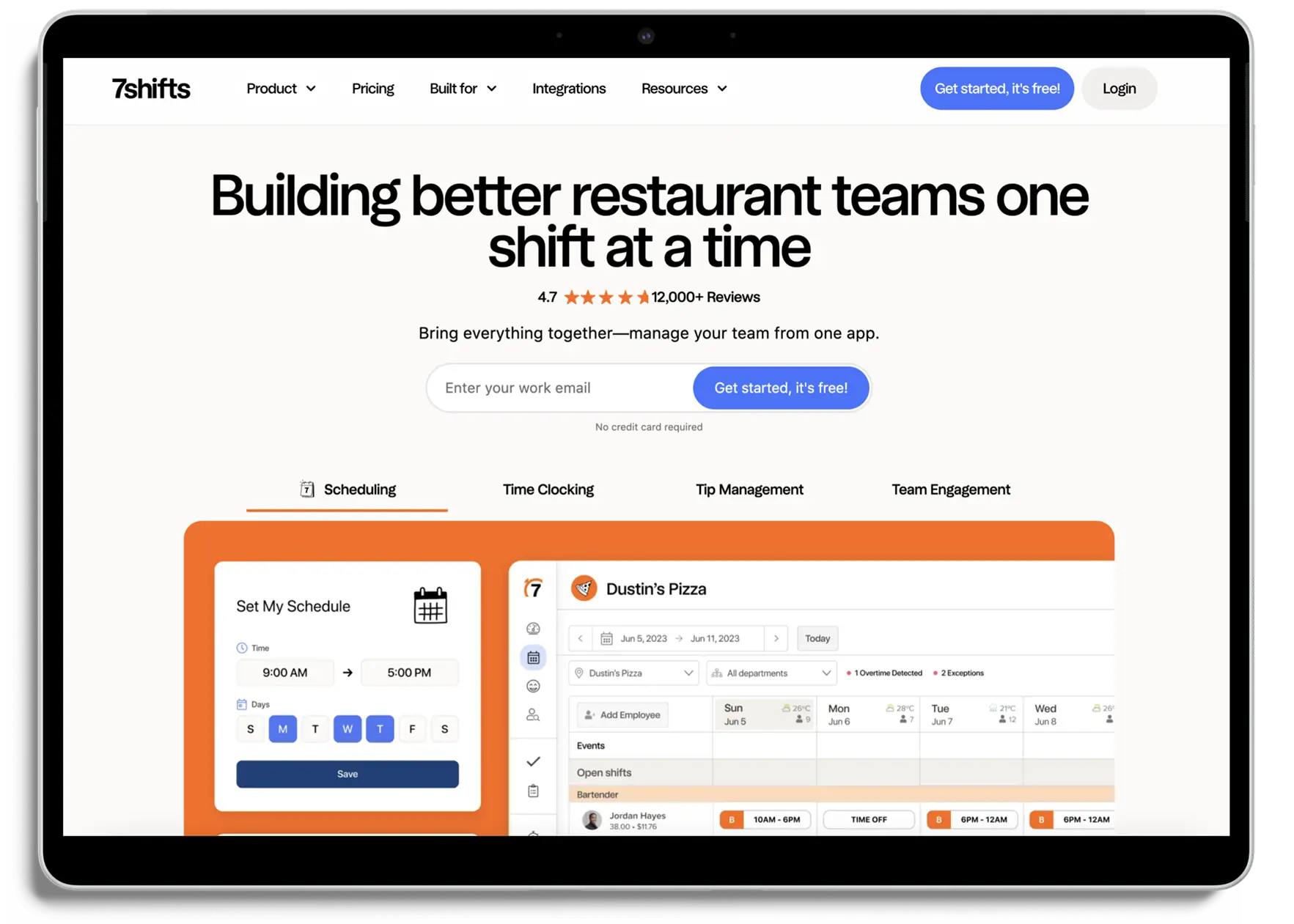
This is the company’s website
With the redesign, I aimed to bring the app closer to the visual language of the website, as it’s important to maintain a brand identity across all products.
And here’s what I came up with


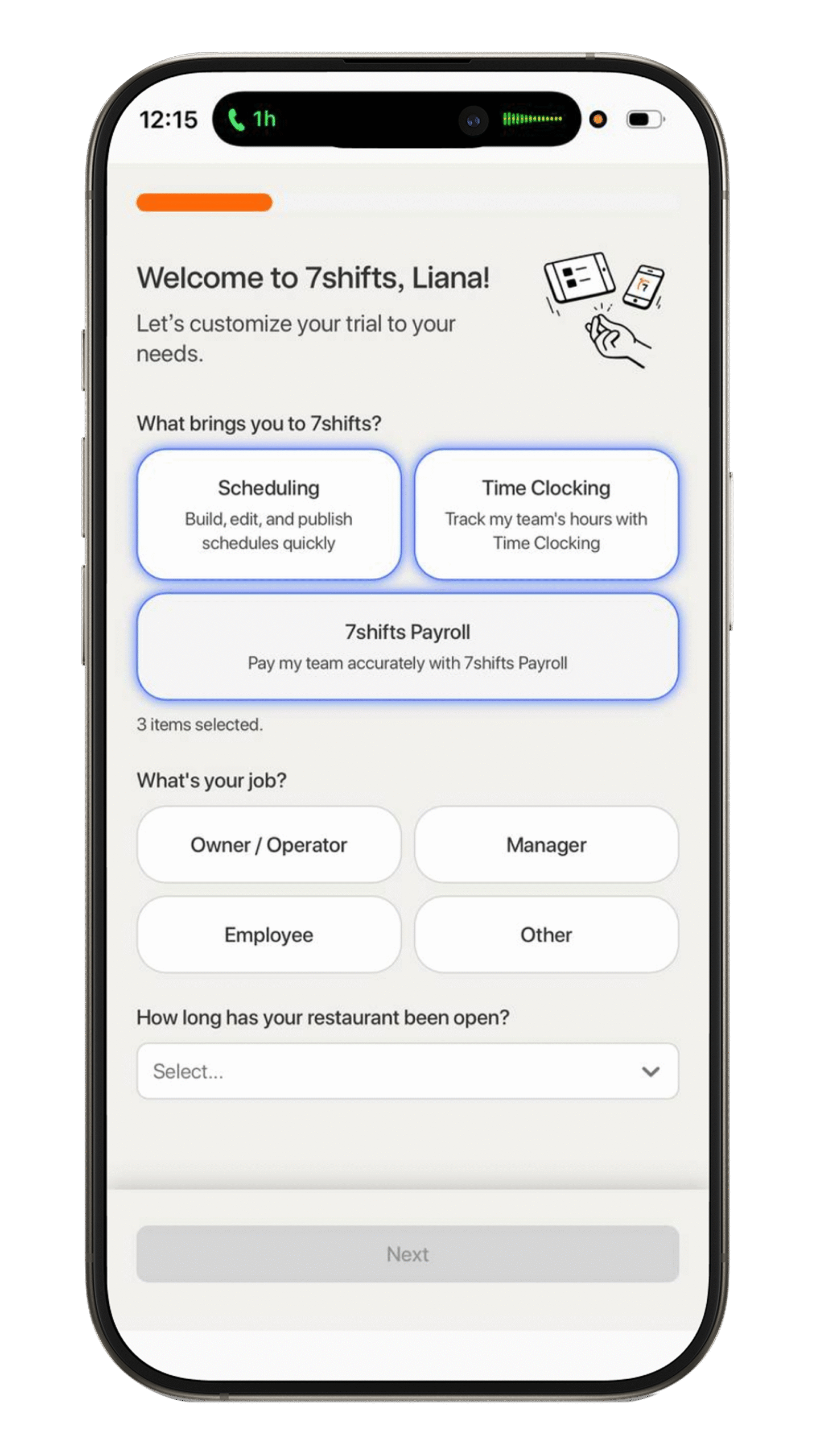
before
- Too many similar elements - all blocks have the same size, border =resulting in no clear visual focus.
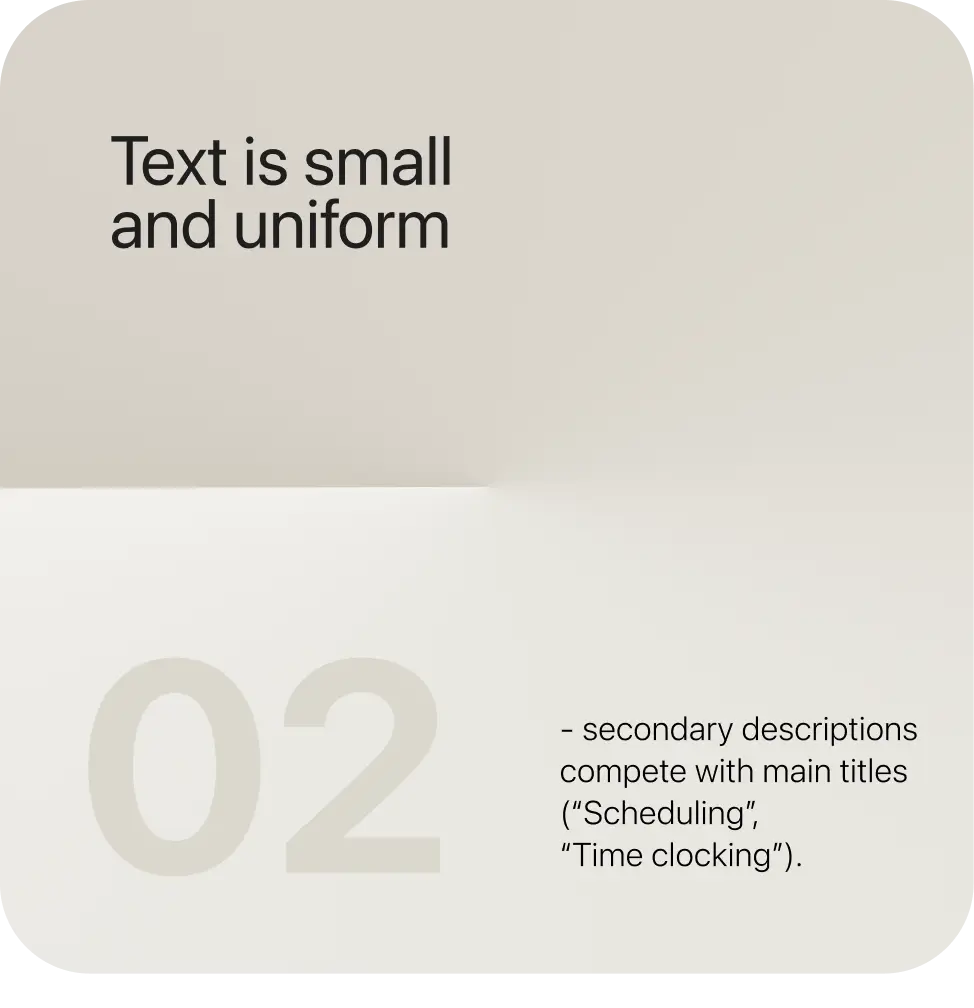
- Text is small - secondary descriptions compete with main titles (“Scheduling”, “Time clocking”).
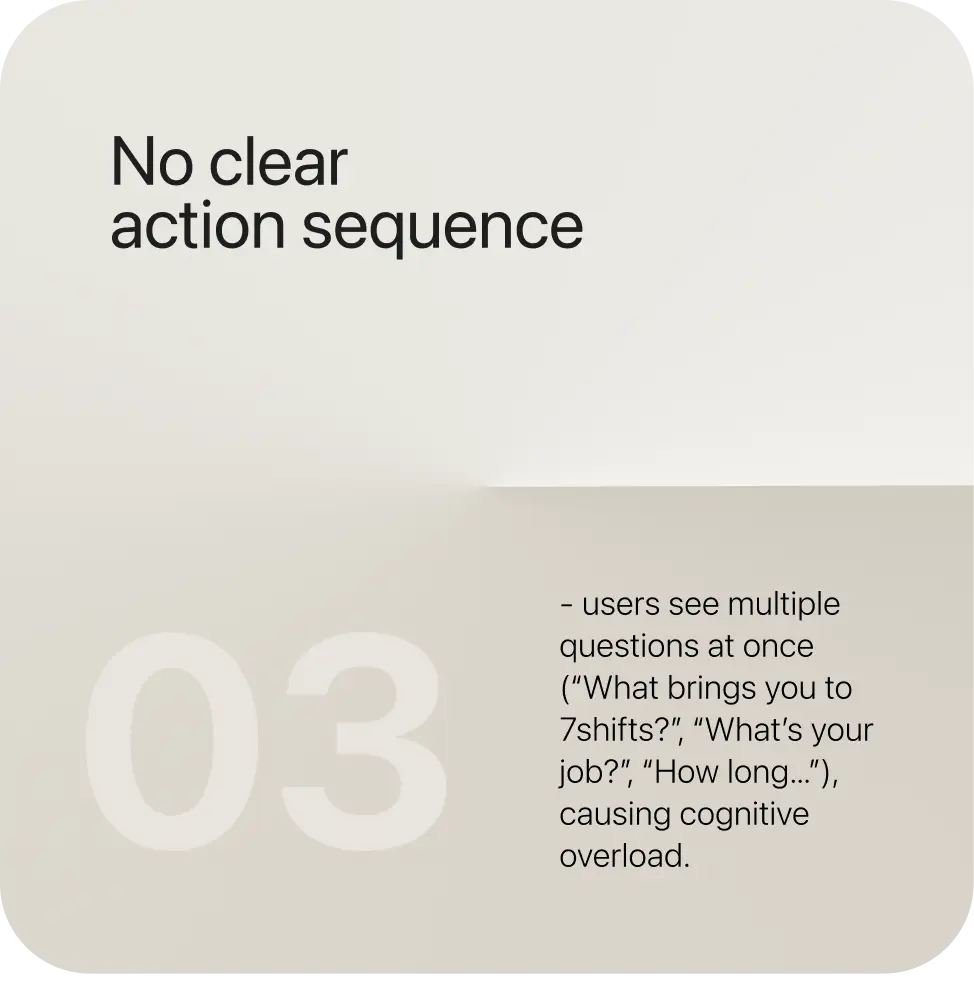
- No clear action sequence - users see multiple questions at once, causing cognitive overload.
- Low contrast and pale borders - everything blends together on the same visual level.
- Inactive “Next” button - its color and location make it inactive, even if selected, which reduces motivation to continue.
- Unnecessary illustration - the top graphic adds visual noise without supporting navigation or user understanding.
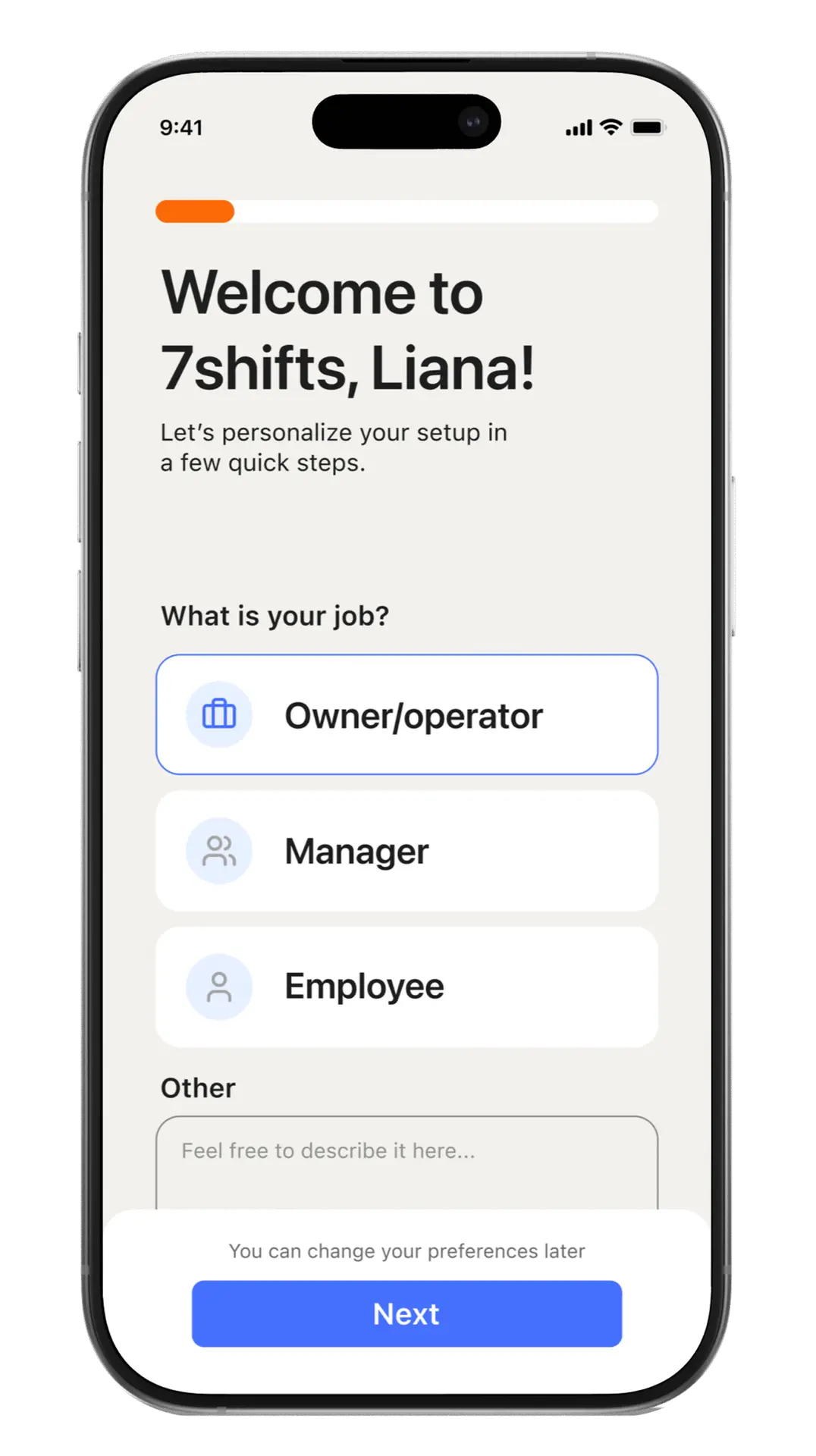
after
- Focus on a single action = less cognitive noise.
- Step-by-step flow = reduces user anxiety.
- Content is easy to read at first glance.
- The “Next” button now encourages forward movement and doesn’t create fear of failure thanks to a short explanation.
- The look and feel align with modern SaaS onboarding
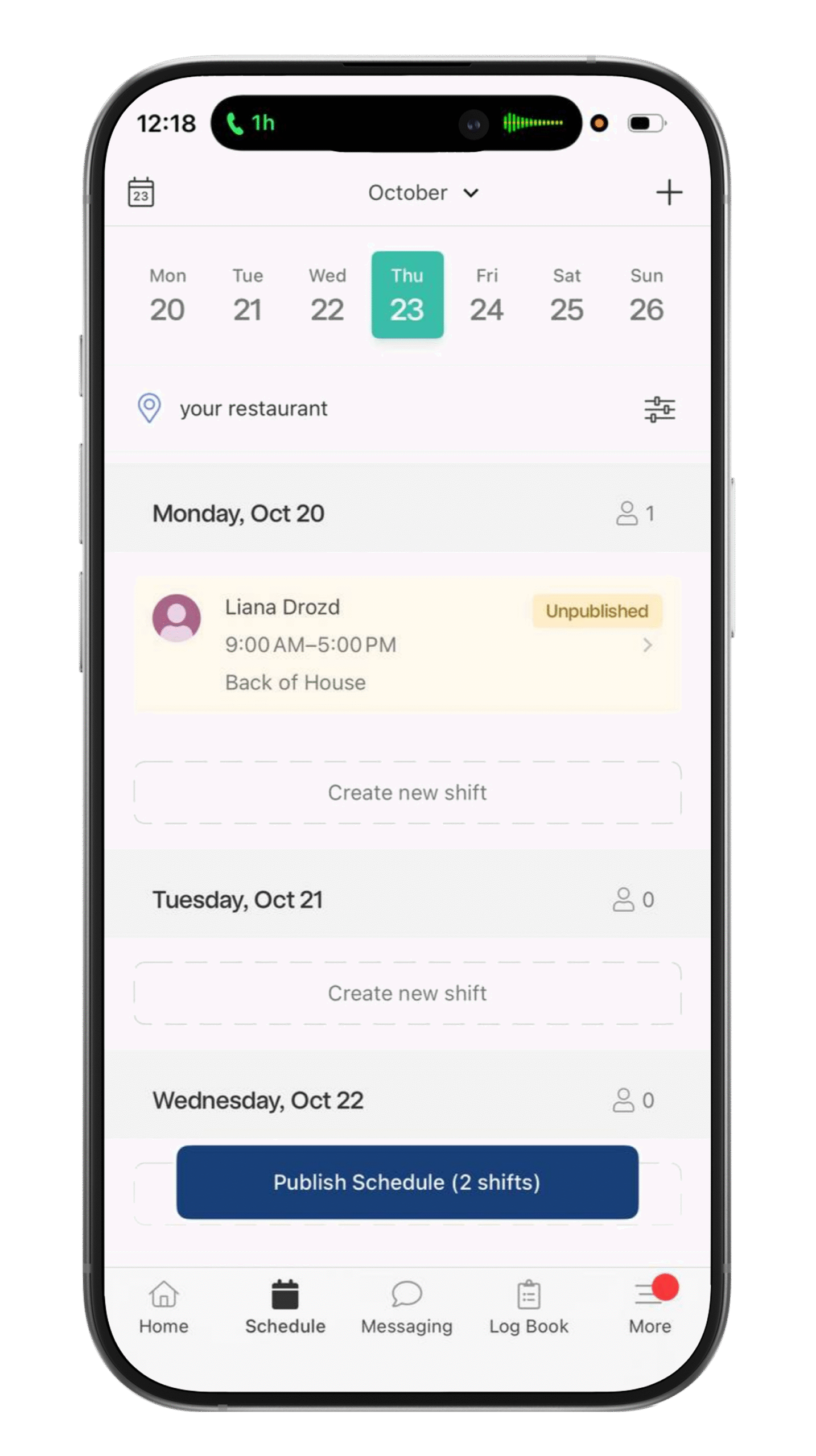
before
- Too many repeating day sections - difficult to distinguish active vs empty days.
- No clear visual focus - “Create new shift” and “Publish Schedule” compete for attention.
- Low contrast - status labels like “Unpublished” are easy to miss.
- Redundant date repetition - creates visual noise.
- Tight spacing - elements feel crowded and hard to scan.
- Equal weight in the header - month selector and calendar blend together.
after
- Focused on one active day = cleaner and calmer layout.
- Clear hierarchy between actions = easier decision-making.
- Stronger contrast and spacing = improved readability.
- Simplified navigation = less cognitive load.
- Refreshed, modern SaaS look consistent with 7shifts’ brand.
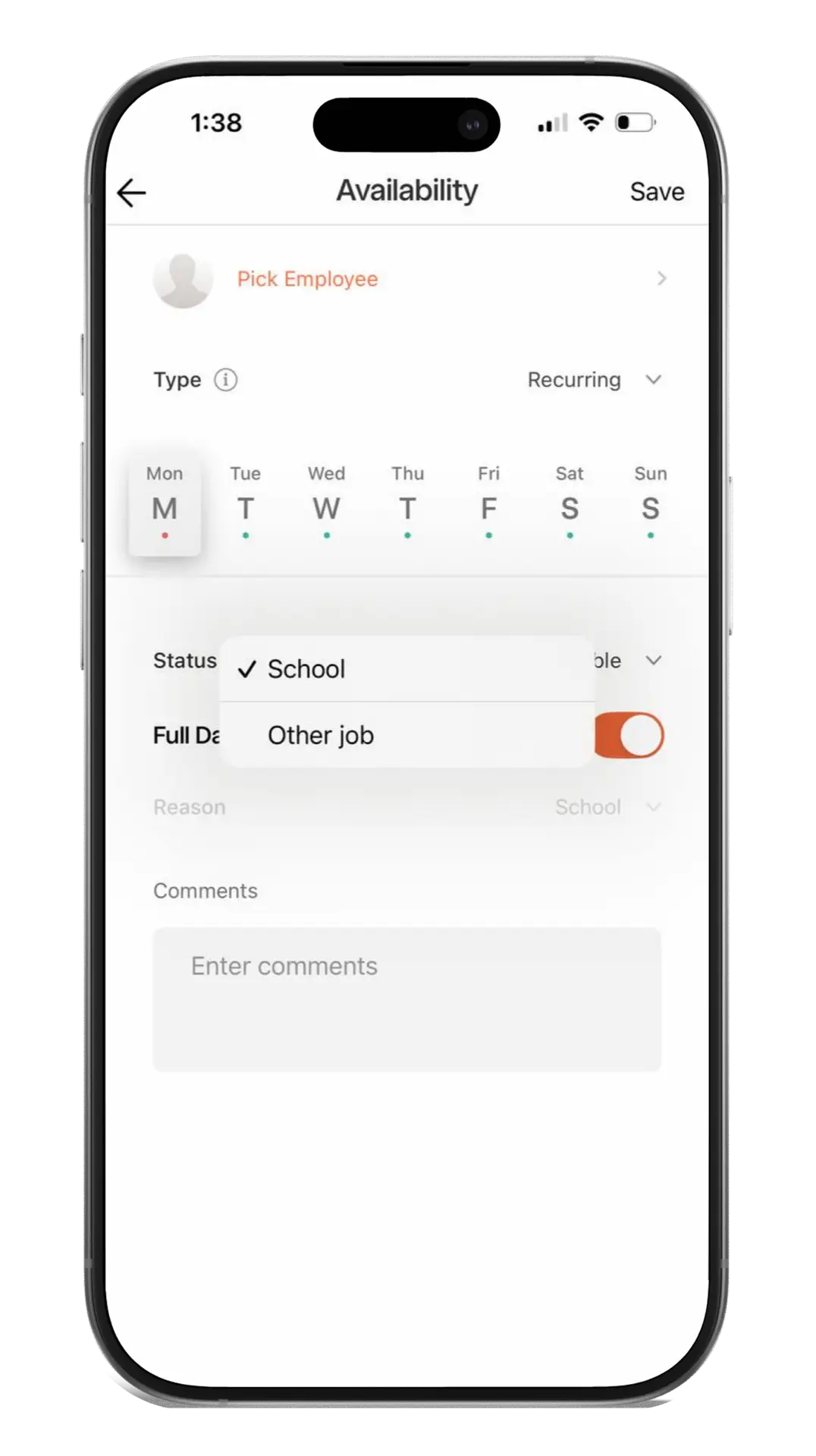
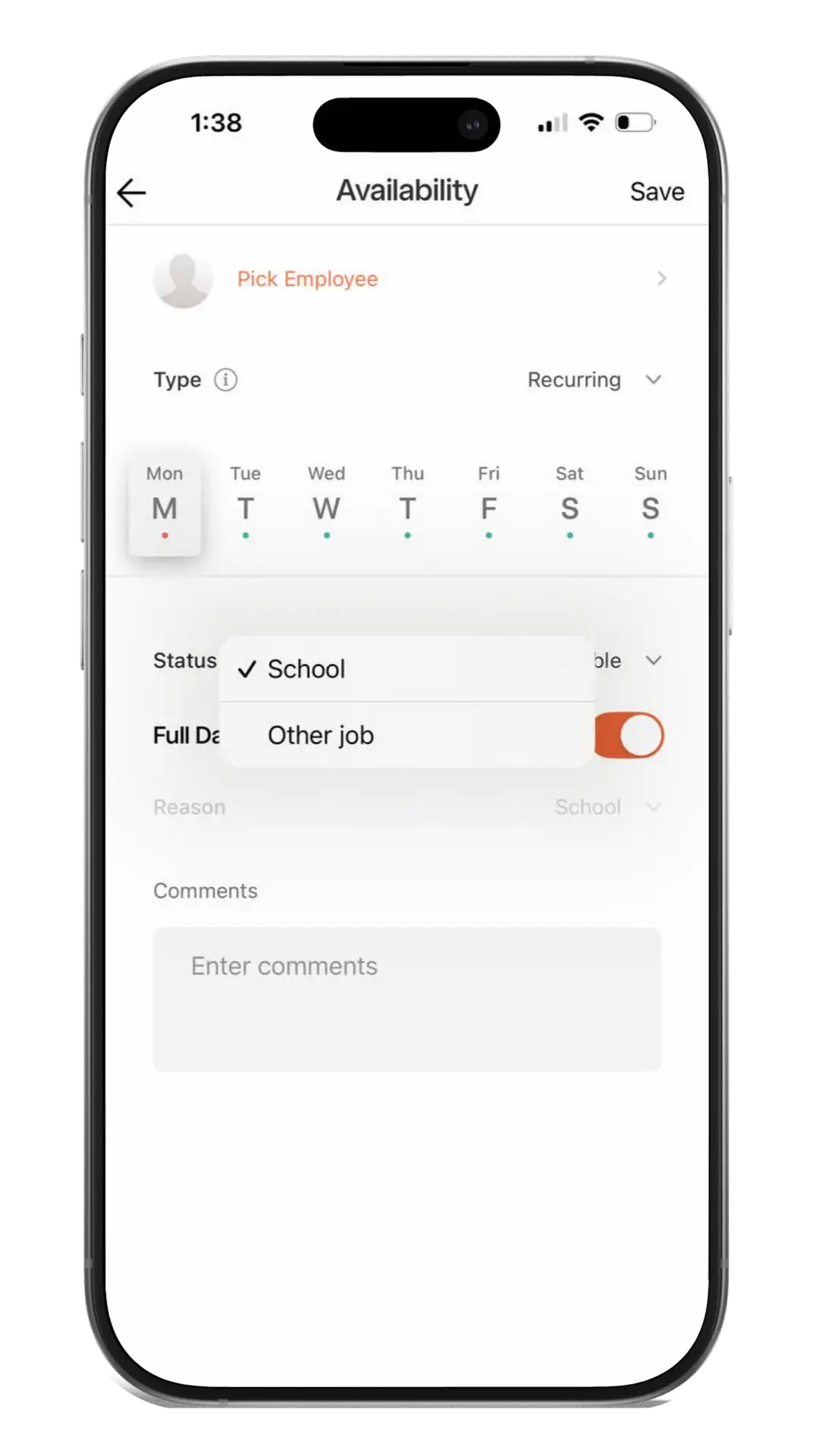
before
- Too many built-in elements. The screen displays multiple settings without clear grouping. It looks scattered and hard to scan.
- Low visual hierarchy. All text fields and drop-down menus look visually similar, so it’s not clear where to start.
- Low contrast between active/inactive states. The toggle and selected days are hard to distinguish from inactive ones - the color accents are too faint.
- Unclear purpose of the “Reason” field. Users online consider it unethical and intrusive in their personal, non-work space.
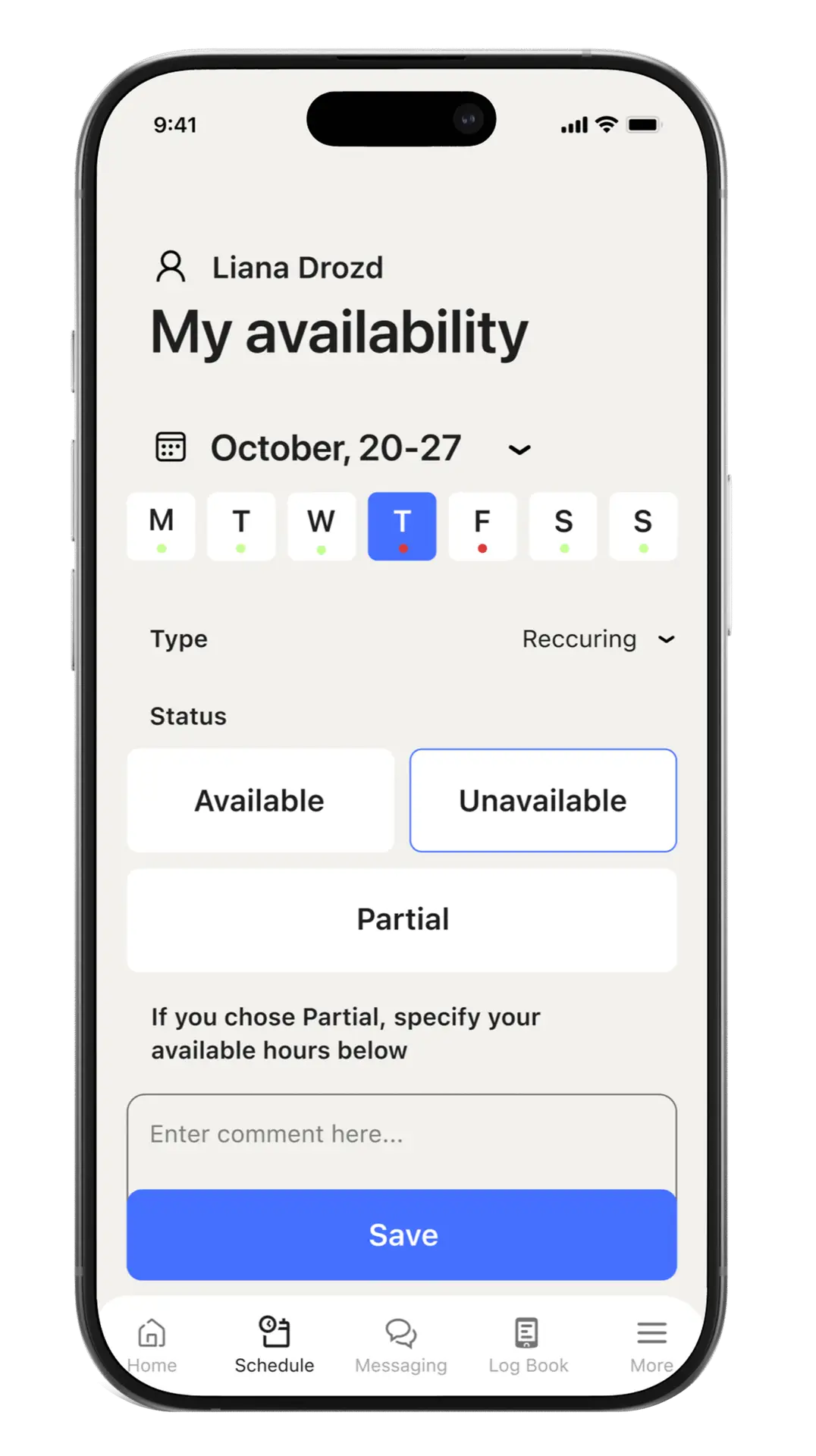
after
- Simplified layout with grouped sections.
- Status bars instead of dropdowns.
- Clearer hierarchy, stronger contrast, and faster input flow.
- No sensitive information for users.
Jessy, 47
Server
As an employee who frequently use an app, I want a clearer visual hierarchy so I can make changes faster and with fewer clicks.
As an employee who frequently uses the app, I want to maintain the privacy of my personal life outside of work hours.
As a new employee, I find it very difficult to navigate the app interface.

As an employee who frequently uses the app, I want to maintain the privacy of my personal life outside of work hours.
As a new employee, I find it very difficult to navigate the app interface.
So, the Jesse’s problem is solved
Smart availability
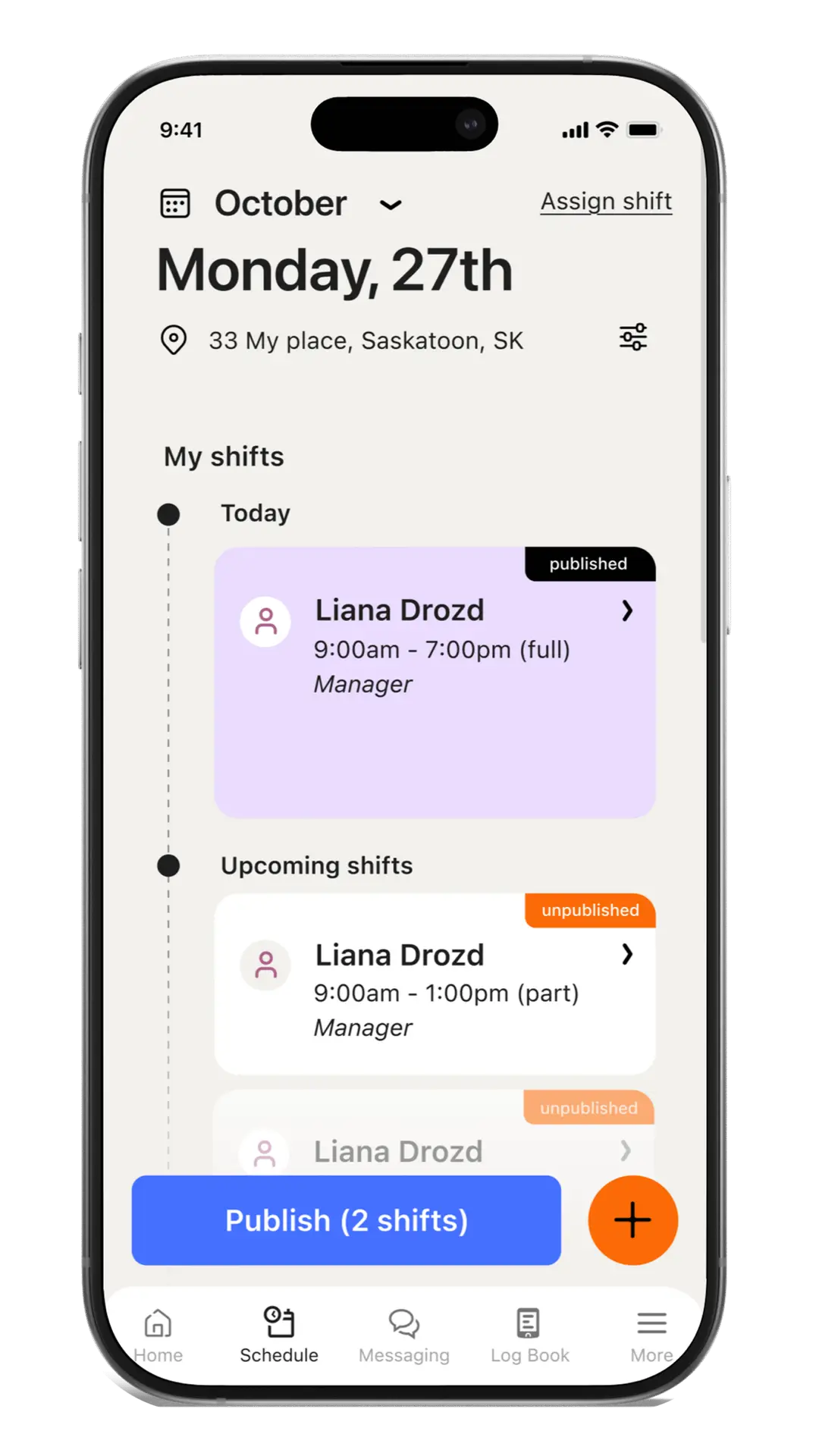
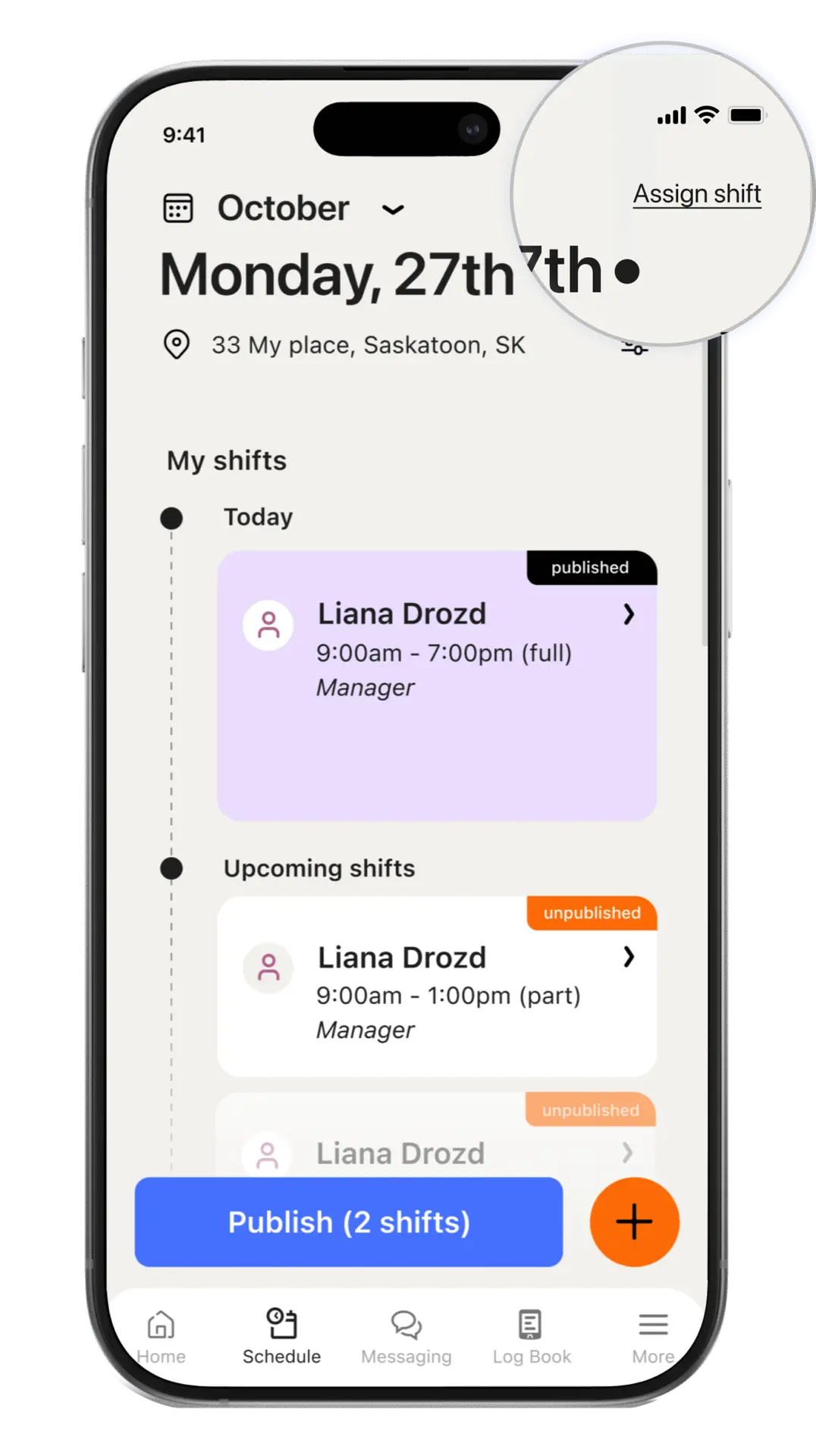
To help managers quickly identify who is available for shifts or when looking for a quick replacement, I added an “Assign shift” button with color-coded status indicators and a simple filter for “Available” employees.
Also, a tooltip will appear next to each employee when hovering over the name, which he himself specified.
This significantly reduced the time spent creating a schedule match.
Indicator
- Available
- Partial
- Unavailable


Liana, 29
Manager
As a manager who regularly uses 7shifts,
I often find it difficult to quickly identify which employees are available for open shifts.
So, the Liana’s problem is solved
Takeaways / Reflections
- 01. Small design improvements can significantly enhance clarity and workflow efficiency.
- 02. Consistent visual language strengthens brand trust and recognition.
- 03. Simplified layouts and clear hierarchy reduce cognitive load for both managers and employees.
- 04. Even within an existing product, a fresh UX perspective can uncover new opportunities for usability improvement.
This redesign allowed me to explore how subtle interface refinements can bring a SaaS product closer to its brand identity while improving real user experience.
It reaffirmed my belief that good UX is not about adding more – it’s about creating focus, consistency, and ease in every interaction.